Make sure you have prepared the following hardware items:
VisionFive
2
Micro-SD card (32 GB or more)
PC with Linux/ Windows/ MacOS
USB to Serial Converter
Ethernet cable
Power adapter
USB Type-C cable
Warning:
During the use of VisionFive
2, avoid
contact with hard objects that may cause damage. Thus, StarFive recommends that you
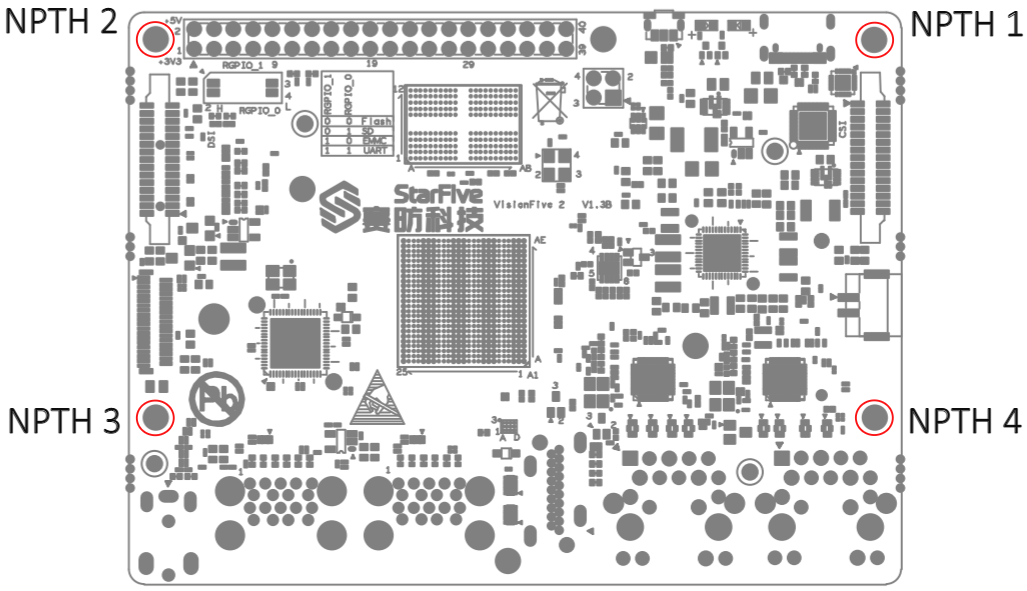
use spacers for the following NPTHs (Non Plating Through Hole):
Figure 1. NPTHs on VisionFive
2
For spacers, StarFive
strongly recommends that you use the copper columns or studs with the
following specifications:
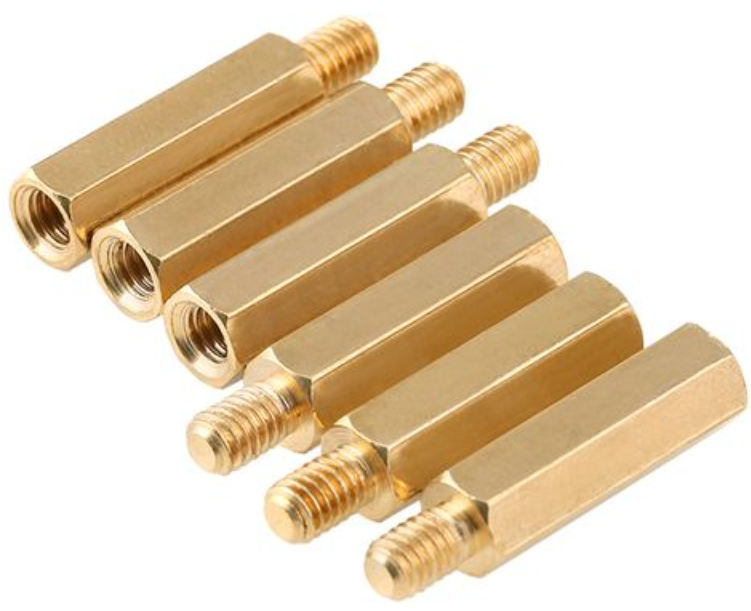
Single head hexagonal copper columns (Size: M2.5*10+6mm)Figure 2. Single Head Hexagonal Copper Columns
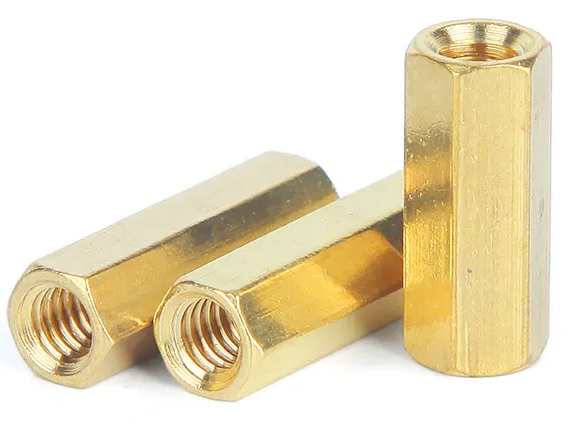
Double way hexagon copper studs (Size: M2.5*4)Figure 3. Double Way Hexagon Copper Studs
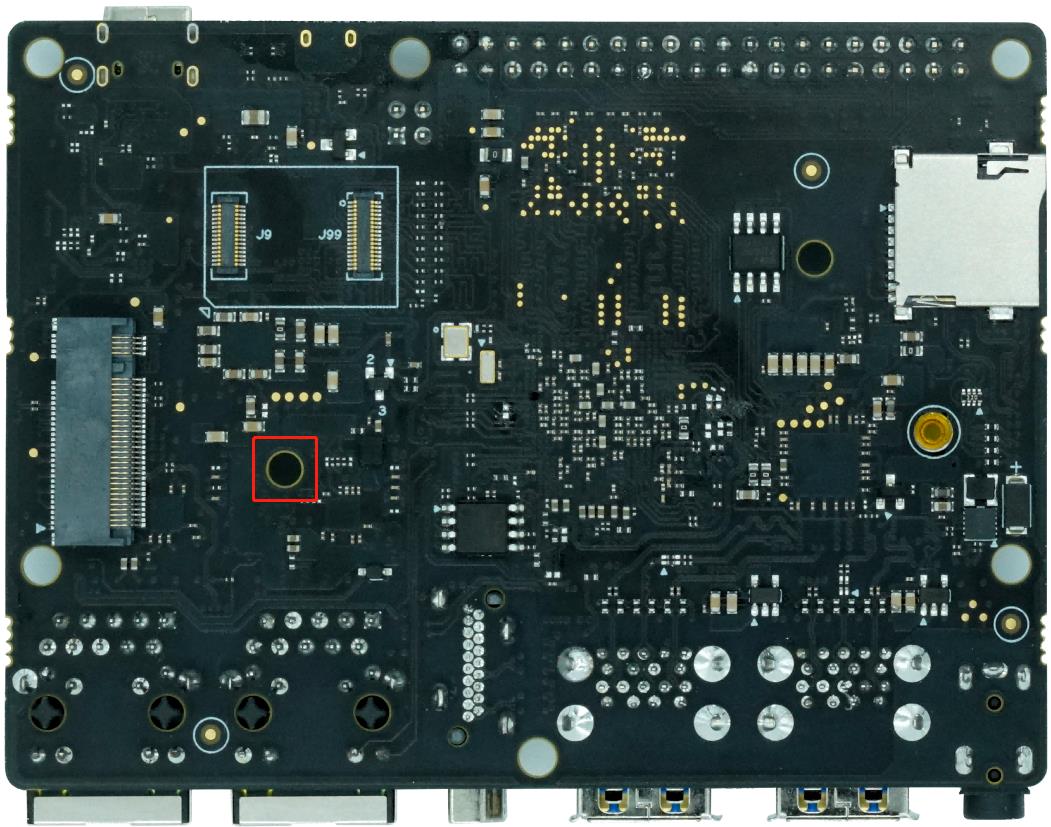
Note: The recommended SSD mounting screw for VisionFive
2 is M2 × 3 mm (Head
Diameter: 5.0 mm).Figure 4. SSD Mounting Location