Specification
Feature Specification
Check the following table for the feature specification.
| Type | Item | Description |
|---|---|---|
| Processor | StarFive JH-7110 |
StarFive JH-7110 with RISC-V quad-core CPU with 2 MB L2 cache and a monitor core, supporting RV64GC ISA, working up to 1.5 GHz |
|
Imagination GPU |
IMG BXE-4-32 MC1 with work frequency up to 600 MHz |
|
| Memory | 2 GB/4 GB/8 GB | LPDDR4 SDRAM, up to 2,800 Mbps |
| Storage | Onboard TF card slot | VisionFive 2 can boot from a TF card. |
| Flash | The firmware to store U-Boot and BootLoader. | |
| Multimedia | Video Output |
Note: Only one MIPI DSI port can be used
for display at a time.
|
| Camera | 1× 2-lane MIPI CSI camera port, supporting up to 1080p@30fps | |
| Encoder/Decoder |
|
|
| Audio | 4-pole stereo audio jack | |
| Connectivity | Ethernet | 2× RJ45 Gigabit Ethernet ports |
| USB Host | 4× USB 3.0 ports (multiplexed with a PCIe 2.0 1x lane). | |
| USB Device | 1× USB device port (by reusing the USB-C port) | |
| M.2 Connector | M.2 M-Key | |
| eMMC Socket | For eMMC module as OS and data storage. | |
| 2-Pin Fan Header | - | |
| Power | USB-C port | 9 V to 12 V DC via USB-C with PD, up to 30 W (minimum 2 A) |
| GPIO Power In | 5 V DC via GPIO header (minimum 3 A) | |
| PoE (Power over Ethernet) | Power function is enabled and requires separate PoE HAT | |
| GPIO | 40-Pin GPIO Header | 1× 40-pin GPIO header, supporting various
interface options:
|
| Boot Mode | Boot mode setting pins | You can choose one of the following boot
modes:
|
| Button | Reset button | To reset VisionFive 2, press and hold the Reset button for more than 3 seconds to ensure the reset is successful. |
| Dimensions |
|
- |
| Compliance | RoHS, FCC, CE |
- |
| Environment | Recommended operating temperature | 0-50 ℃ |
| Other | Debug function | UART TX and UART RX are available through the 40-pin GPIO header. |
Physical Specification
The mechanical drawings of VisionFive 2 are illustrated as follows:
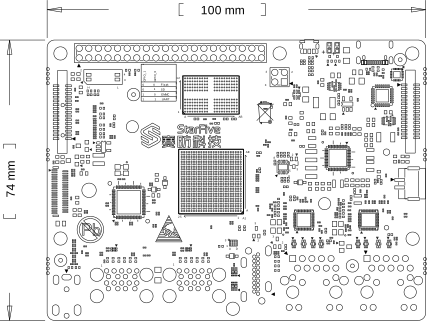
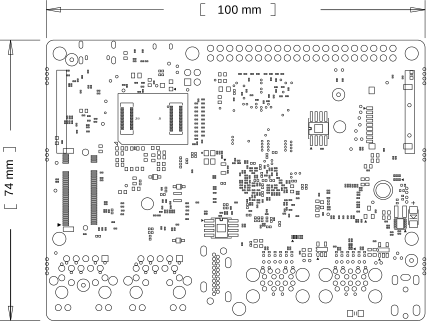
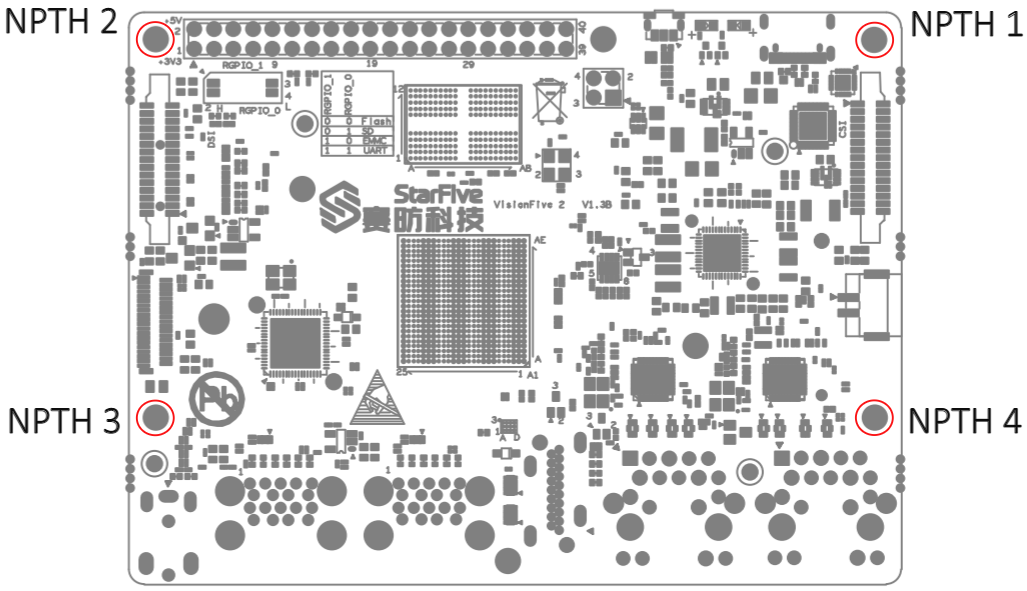
During the use of VisionFive 2, avoid contact with hard objects that may cause damage. StarFive recommends that you use spacers for the following NPTHs (Non Plating Through Hole):
For spacers, StarFive strongly recommends that you use the copper columns or studs with the following specifications:
- Single head hexagonal copper columns (Size: M2.5*10+6mm)
Figure 4. Single head hexagonal copper columns 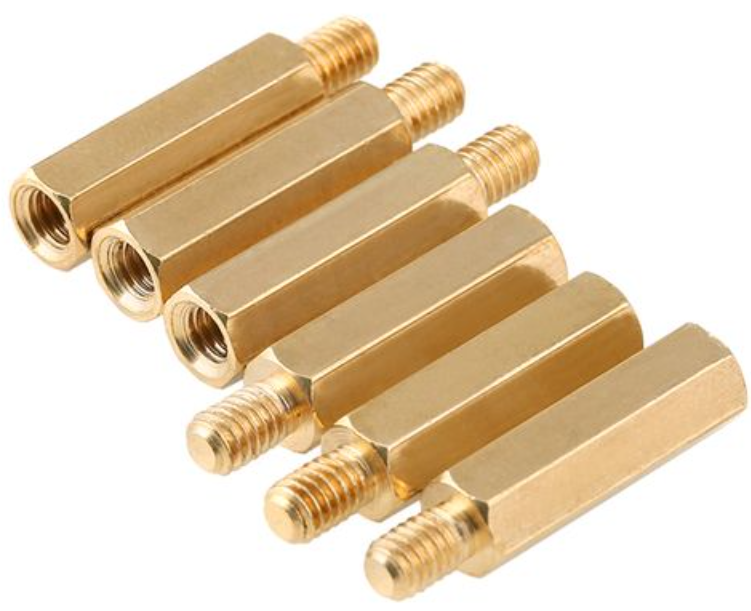
- Double way hexagon copper studs (Size: M2.5*4)
Figure 5. Double way hexagon copper studs 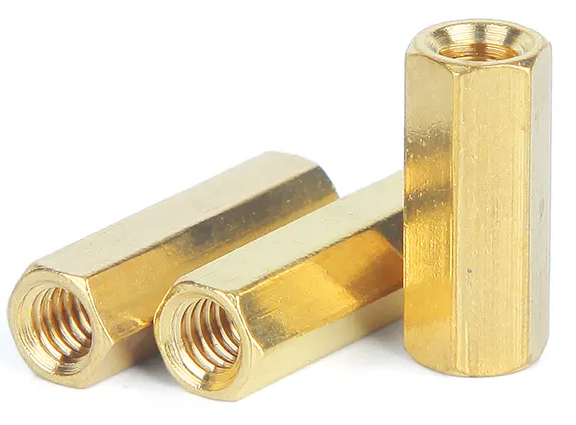
Electrical Specification
VisionFive 2 supports various ways of powering, smart power adapter as well as fixed voltage:
- USB PD 2.0
- Support USB Type C PD 2.0, 9 V/2 A, 12 V/2 A, 15 V/2 A, 20 V/2 A
- Qualcomm® Quick Charge™ 2.0
- Support QC3.0/2.0 adapter, 9 V/2 A, 12 V/1.5 A
- Power adapter with fixed voltage from 5 V to 20 V on the USB C power port
- 5 V Power from the GPIO Pin 2 and 4
The required voltage level for all GPIO pins is 3.3 V.