Compile
Build and compile the AMP image and configure the RT-Thread kernel.
Compile AMP Image
Run the build script to download the RT-Thread toolchain and compile all AMP
images.
./build-rtthread-amp-sdk.shNote:
- RT-Thread toolchain is downloaded from GitHub. Select the version matching your Ubuntu release (18/20/22).
- Compilation may take a significant amount of time.
Generated images include:
- sdcard_amp.img: Complete SD card image, flash directly to boot.
- work/u-boot-amp-spl.bin.normal.out: U-Boot SPL image
- work/visionfive2_fw_payload_amp.img: SBI payload image, including rt-thread.bin
- work/amp/image.fit: AMP kernel image
Increment Build
If you only modify RT-Thread code, run the
following:
make amp-clean
make ampuboot_fit -j8
If you want to recompile the AMP image, run the
following:
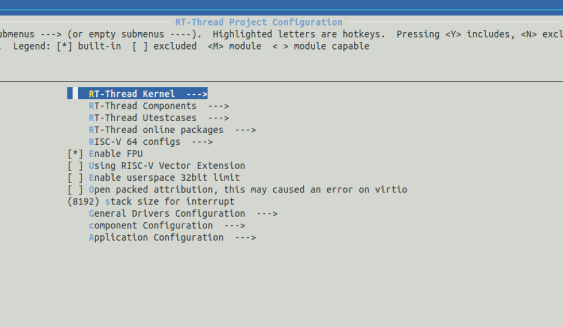
make amp_imgRT-Thread Menu Configuration
To customize the RT-Thread kernel, components, and
packages:
$ cd rtthread/bsp/starfive/jh7110
$ cp configs/vf2_defconfig .config
$ cp configs/vf2_rtconfig.h rtconfig.h
$ scons --menuconfig
This opens a graphical configuration menu for selective inclusion of kernel features, components, and software packages.