Configure and Debug PWM
Configure PWM Pins
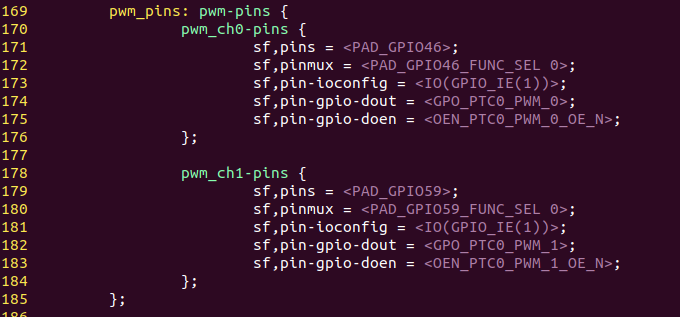
Configure the jh7110-visionfive-v2.dtsi file that is under /linux/arch/riscv/boot/dts/starfive.
Up to 8 channels are supported form PWM. You can configure the unoccupied GPIOs as desired. The following is the default setting.
Debug PWM
To debug PWM GPIO:
-
Execute the following to configure the PWM channel:
cd /sys/class/pwm/pwmchip0 echo 0 > export -
Execute the following to configure the PWM period:
cd pwm0 echo 5000000 > period -
Execute the following to configure the PWM duty cycle:
echo 1000000 > duty_cycleNote: A duty cycle is the fraction of one period in which a signal or system is active. -
Use an oscilloscope to measure the corresponding pin and check the PWM period and duty cycle.