Configure Kernel Menu for RTC
-
Under the root directory of freelight-u-sdk, run the following command to enter the kernel menu configuration GUI.
make linux-menuconfig -
Enter the Device Drivers menu.
-
Enter the Real Time Clock menu.
Figure 1. Real Time Clock 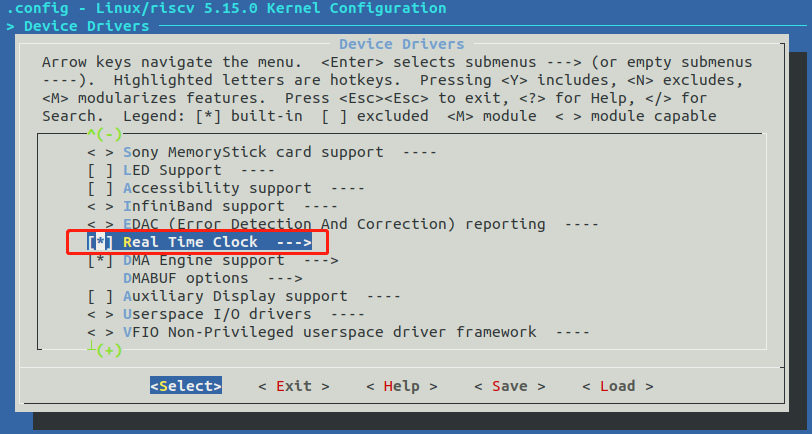
-
To enable the RTC driver, select the StarFive 32.768k-RTC option.
Figure 2. StarFive RTC 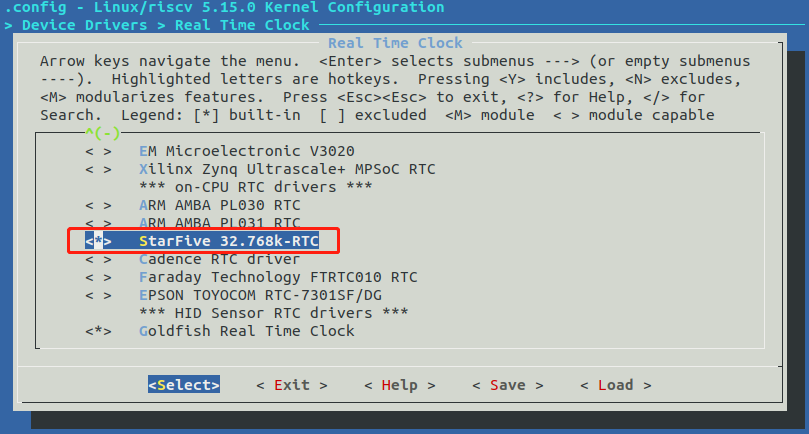
-
Save your change and exit the kernel configuration dialog.