Enable Thermal Drivers in Kernel Configuration
Enable the thermal driver support in the kernel configuration.
- Under the root directory of freelight-u-sdk, type the
following command to enter the kernel menu configuration
GUI.
cd freelight-u-sdk make linux-menuconfig - Enter the Device Drivers > Thermal Drivers menu.
- In the Thermal Drivers menu, select the CPU Frequency Cooling
Device option.
Figure 1. CPU Frequency Cooling Device 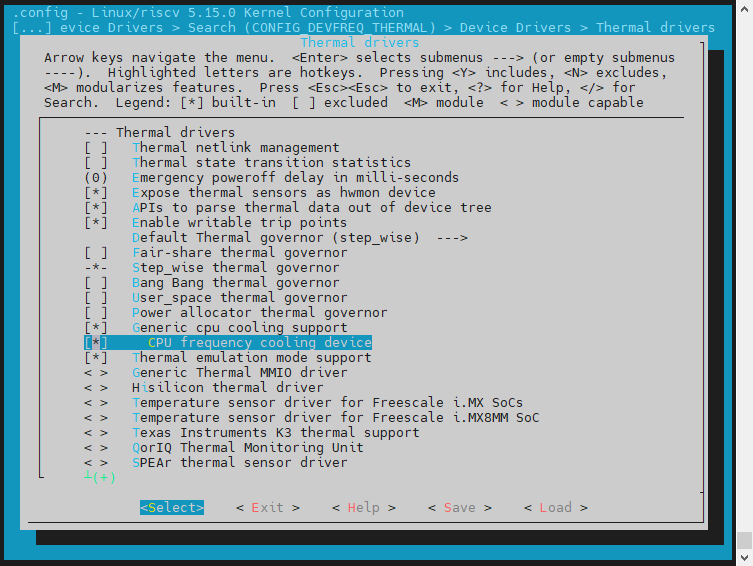
- Default Thermal governor (step_wise): Thermal governor select step_wise by default.
- Expose thermal sensors as hwmon device: Generic Thermal Management hwmon support.
- APIs to parse thermal data out of device tree: Generic Thermal Management device tree support.
- Enable writable trip points: Support modifying trip points in user space.
- Thermal emulation mode support: Support thermal emulation temperature function.
- Generic cpu cooling support: Open generic CPU cooling.
- CPU frequency cooling device: Support generic CPU cooling mechanism through frequency reduction.