Add a PHY Driver in U-Boot
If the Ethernet PHY on your board is not already supported by the U-Boot PHY driver framework, you need to implement and register a new PHY driver. This section describes the U-Boot PHY driver data structure and the steps to add, enable, and initialize a new PHY driver.
U-Boot PHY Driver Structure
U-Boot models each supported PHY as a phy_driver structure. All
supported PHY drivers are registered at startup through a vendor-specific
initialization function.
static struct phy_driver YT8531_driver = {
    .name     = "Motorcomm YT8531",
    .uid      = 0x4f51e91a,
    .mask     = 0x00000fff,
    .features = PHY_GBIT_FEATURES,
    .config   = &yt8531_config,
    .startup  = &genphy_startup,
    .shutdown = &genphy_shutdown,
};| Parameter | Description |
|---|---|
.name |
PHY identifier string. Use the device-specific name, for example Motorcomm YT8531 |
.uid |
Concatenation of the PHY manufacturer ID and device ID, as specified in the PHY datasheet. |
.mask |
UID match mask. Bits set to 1 must match;
bits set to 0 are ignored. For example,
0x00000fff matches the lower 12 bits of the
UID. |
.features |
Capability flags indicating whether the PHY supports Gigabit
Ethernet (e.g., PHY_GBIT_FEATURES). |
.config |
Pointer to the PHY configuration function. For simple PHYs
this can be genphy_config; for PHYs with QSGMII
or RMII modes, a custom function is required to set the
operating mode. |
.startup |
Pointer to the startup function (link establishment).
Typically genphy_startup or a vendor-specific
implementation. |
.shutdown |
Pointer to the shutdown function. Typically
genphy_shutdown. |
Add a PHY Driver
To add support for a new PHY (for example, the Motorcomm YT8531), follow these steps
in the corresponding vendor file under drivers/net/phy/.
-
Create a new
phy_driverstructure following the existing definitions in the vendor file. The structure must conform to the U-Bootphy_driverdata format. -
Reuse the standard
genphy_startupandgenphy_shutdownfunctions unless the PHY has specific requirements. -
Register the PHY driver by adding a function call of
phy_registeras a new entry. For example:static int phy_motorcomm_init(void) { phy_register(&YT8512_driver); phy_register(&YT8521_driver); phy_register(&YT8531_driver); /* New entry */ return 0; }
Enable PHY Driver
After implementing the PHY driver, enable it in the board-specific U-Boot configuration.
-
In the board header file (for example, include/configs/starfive-visionfive.h), define the PHY address.
The following example defines the PHY address as 0.#define DWC_NET_PHYADDR 0Note: Make sure the PHY address matches the hardware strap configuration on your board. An incorrect address forces U-Boot to enumerate all possible PHY addresses, increasing boot time. -
Add the PHY driver definition to the board configuration file.
The following image shows an example of adding the YT8531 PHY in the configuration file.Figure 1. Add PHY in Configuration File 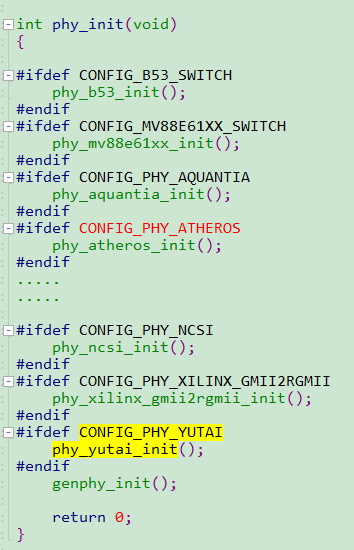
Initialize PHY Device
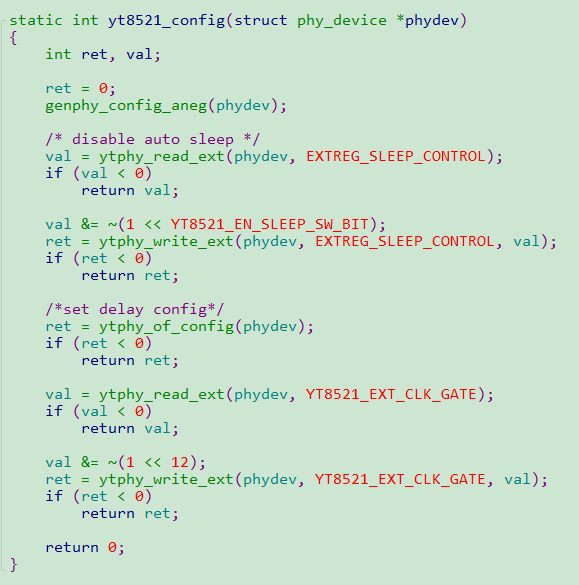
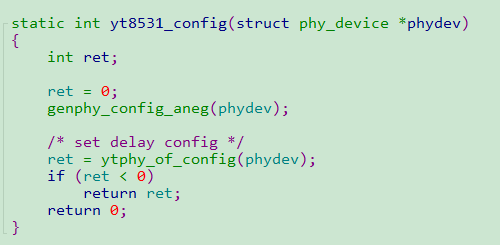
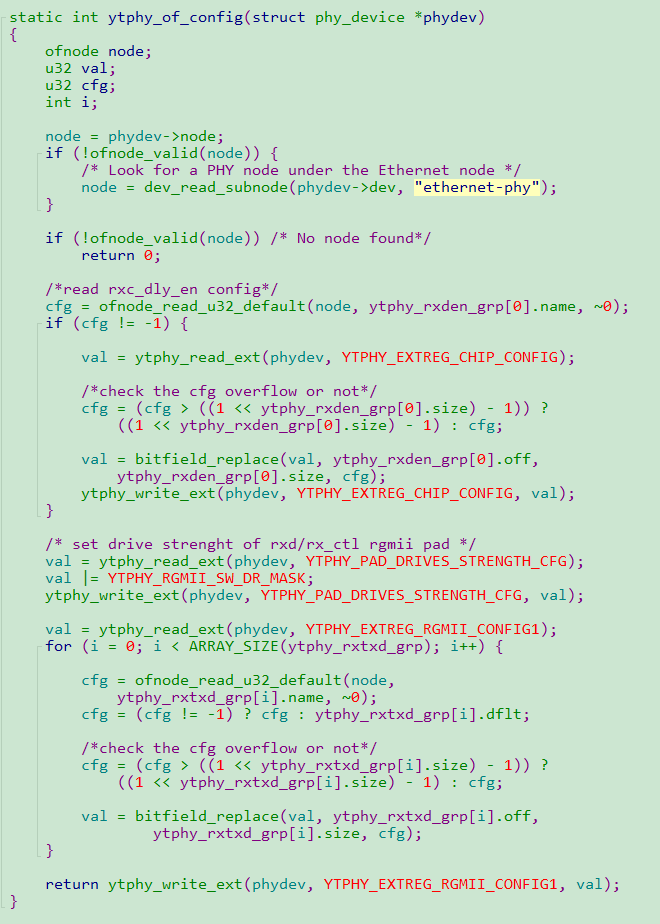
The above function calls specify how to initialize the Ethernet PHY. You have to use the MDIO bus to access the PHY control registers. Thus, you need to make sure your MDIO interface is configured properly before the configuration.